- Select "My Tickets" from the menu options within the Fanatics Fest Hub.
- Click "Access your Fanatics Fest Tickets."
- Select "Print/View Tickets" to display your unique QR codes.
- Add your tickets to Apple or Google Wallet ahead of the event.


Access the Fanatics Fest Hub in the Fanatics App
Your tickets, schedule, maps, exclusives, and more are all in the Fanatics App. Download or open the app and visit the Fanatics Fest Hub to get ready for the biggest weekend in sports.
This year, you’ll need the App to access your tickets and enter the event.
Download or open the Fanatics App today and head to the Fanatics Fest Hub to get started.
Once you’ve downloaded the app, you’ll also be able to:
Access your Fanatics Fest tickets & save to Apple or Google wallet
Transfer tickets to friends and family
Stay up to date with important event information and scheduling
Check your FanCash balance*
*New for 2026: FanCash can now be earned and redeemed throughout Fanatics Fest with participating dealers, brands, retail locations, and Javits concessions. Look for FanCash signage throughout the show floor to find participating locations once you arrive.
Download or update to the latest version today and head to the Fanatics Fest Hub to get started.
International fans: The Fanatics App will be available once you arrive in the United States and can connect to a U.S. app store.
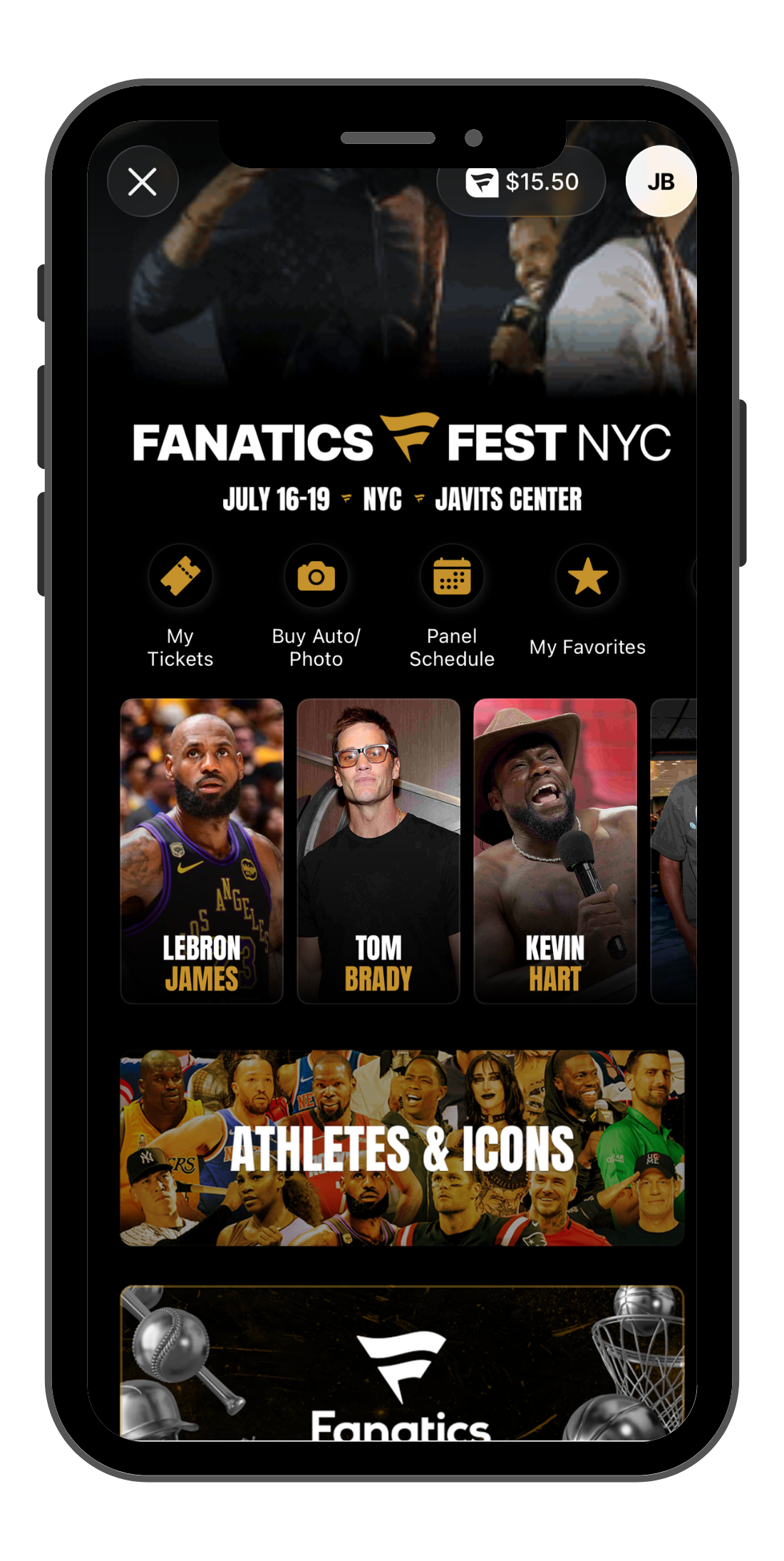
In the Fanatics Fest Hub, the "Access your Fanatics Fest tickets" page will show all tickets associated with your order.